
Driving License Verification Punjab: Check by CNIC, Passport or License Number
Your driving license is only as good as the record sitting behind it. Anyone can carry a plastic card, but what actually matters is whether the provincial database recognizes it, which categories it covers, and whether it remains in force today. Driving license verification in Punjab settles all three questions in well under a minute, and it costs nothing at all.
Verify License
License type
Identification
Security check
A simple arithmetic question from the DLIMS server. Tap refresh for a new one.
Three Ways to Verify a Punjab Driving License
Most guides tell you to enter a CNIC and stop there. The DLIMS 2.0 system actually accepts three different identifiers, and choosing the right one saves considerable frustration.
| Search by | Best used when | What to enter |
|---|---|---|
| CNIC | You are checking your own license, or you have the holder’s ID number | All 13 digits, no dashes |
| Passport number | The holder is an overseas Pakistani, or the license was issued against a passport | Exactly as printed in the passport |
| License number | You hold the card or a photocopy but not the ID number | Exactly as printed on the card |
The passport route matters more than it first appears. Overseas Pakistanis and foreign nationals licensed in Punjab are frequently recorded against a passport rather than a CNIC, so a CNIC search on those records simply returns nothing — which people understandably misread as a missing license.
The license-number route, meanwhile, is what employers and transport firms actually need. When you are handed a photocopy of a card and no ID number, that printed license number is your way in.
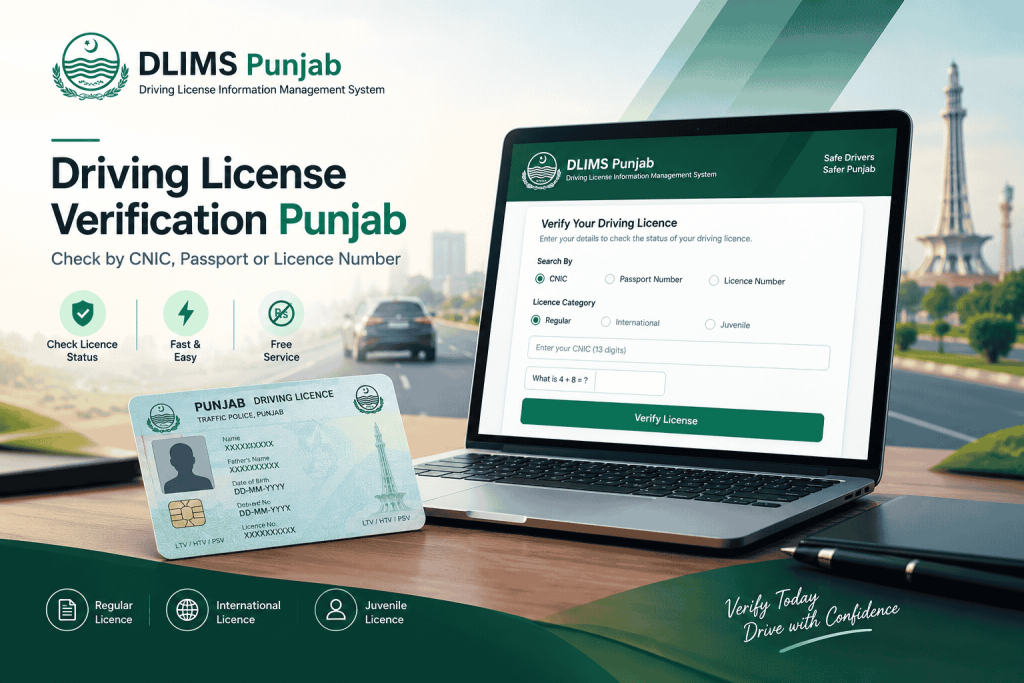
Choosing the Right License Category
Before you search, the system asks which kind of license you are looking for. This is not cosmetic — each category sits in its own record set, so selecting the wrong one produces an empty result even when the license is perfectly valid.
| Category | What it covers | Choose it when |
|---|---|---|
| Regular License | Standard domestic driving licenses across all vehicle classes | This is the everyday license most drivers hold |
| International License | The international driving permit issued alongside a domestic license | You are checking a permit obtained for driving abroad |
| Juvenile License | The separate juvenile category the system maintains | The license was issued under the juvenile category |
In practice, a mismatched category is one of the most common reasons a search fails. If your first attempt comes back empty, switching the category before changing anything else is the quickest thing to try.
How to Verify a Driving License in Punjab, Step by Step
The process needs no account, no password and no fee. Follow the sequence below and you will have your result in seconds.
- Select the license category — Regular, International or Juvenile — matching the license you are checking.
- Choose your identifier: CNIC, passport number or license number.
- Enter the value carefully. For a CNIC, type all 13 digits with no dashes or spaces.
- Answer the security question. The portal shows a simple sum such as “What is 4 + 8 =”, so type the numeric answer rather than copying characters.
- Click Verify License and read the record that loads on screen.
You can run the same check on the official portal at dlims.punjab.gov.pk/verify. Both routes query the identical database, so the result will not differ.
A note on the security question
Unlike most government portals, DLIMS 2.0 does not use a distorted image captcha. Instead it asks a plain arithmetic question and expects the answer as a number. It is easier to pass, though it catches people who instinctively retype the question rather than solving it.
Checking on a phone
Most people now verify from a mobile, and the process is identical. Still, one practical tip helps: switch to a stable connection before submitting. Government portals in Pakistan occasionally time out on weak mobile data, which produces a blank screen that looks like a missing record but is simply a dropped request.
Reading Your Verification Result
Once the database returns a match, it displays the particulars held against the identifier you searched with. The table below explains what each field is actually telling you.
| Field shown | What it confirms | Why it matters |
|---|---|---|
| License holder name | The registered owner of the record | Must match the CNIC or passport holder exactly |
| License number | The unique identifier in the system | Needed for renewals, e-license and tracking |
| License category | Motorcycle, motorcar, LTV, HTV or PSV | Determines which vehicles may legally be driven |
| Issue date | When authorisation first began | Establishes driving history |
| Expiry date | When renewal falls due | The single most important field to watch |
| Status | Active, expired or under process | Tells you whether the holder is road-legal today |
What Each License Status Means
Active
The license is valid and recognized. The holder may drive the categories listed, and a roadside check will confirm the same record the portal just showed.
Expired
The record exists but the validity period has ended. Driving on an expired license is treated much the same as driving unlicensed, so renew before the next journey rather than after the next checkpoint. Renewing promptly also keeps the fee lower in most fee schedules.
Under process
The application has been accepted but the license has not been finalized. This status appears frequently for first-time applicants and for renewals submitted within the last week or two. In that case, tracking the application is more useful than repeating the verification check.
Vehicle Classes Behind Your License Category
Once your record loads, the class shown tells you what you may legally drive. Matching that to your actual driving keeps you compliant.
| Class | Permitted vehicles | Typical holder |
|---|---|---|
| Motorcycle | Two-wheel vehicles and scooters | Everyday commuters |
| Motorcar / Jeep | Private, non-commercial cars | Personal drivers |
| LTV (Light Transport Vehicle) | Taxis, vans, light goods vehicles | Commercial and ride-hailing drivers |
| HTV (Heavy Transport Vehicle) | Buses, trucks and trailers | Professional long-haul drivers |
| PSV (Public Service Vehicle) | Passenger vehicles operated for hire | Paid passenger transport |
| Learner permit | Supervised practice before testing | New applicants |
One point trips up a surprising number of drivers: a motorcar license does not authorise commercial work. If you drive for income, your verification result should show an LTV or higher class, not a private-car endorsement.
Verifying an International Driving License
An international permit is not a standalone credential. It is issued alongside a valid domestic license and is intended for driving abroad, which is why the system files it under its own category.
If you are checking one, select International License before searching. Searching under the regular category will not surface it, even though both permits belong to the same person. Equally, remember that an international permit generally expires well before the domestic license behind it, so the expiry date deserves a closer look than usual.
Verifying a Juvenile License
Punjab maintains juvenile licenses as a distinct category rather than folding them into the regular record set. For verification purposes, the practical implication is simple: select the juvenile option, or the search will return nothing.
Because eligibility rules and permitted vehicle classes for this category are set by the licensing authority and revised from time to time, confirm the current conditions with your licensing office rather than relying on figures published by third-party sites.
Who Should Verify a Driving License, and Why
Individual drivers
Check your own record before a long trip, before renewing, and before any job application involving driving. Expiry dates slip past people constantly, and a thirty-second check is cheaper than a challan.
Employers and transport companies
Verification is the fastest pre-employment screening available. Rather than accepting a photocopy at face value, confirm that the license exists, that it is active, and that its class actually covers the vehicle the candidate will drive. Where you only hold a copy of the card, the license-number search is the route to use.
Ride-hailing and delivery fleets
Fleet operators carry real liability when an unlicensed driver is behind the wheel. Periodic re-verification catches licensees that have quietly expired since on boarding.
Overseas Pakistanis
If your Punjab license was recorded against your passport, search by passport number rather than CNIC. This single detail resolves a large share of the “my license has disappeared” reports from drivers abroad.
Why "No Record Found" Appears, and How to Fix It
A failed lookup rarely means the license is fake. Almost always, the cause is one of these — and they are listed roughly in order of how often they occur.
- The wrong license category is selected. Try switching between Regular, International and Juvenile before changing anything else.
- Dashes in the CNIC field. Enter all 13 digits with nothing between them.
- The record sits against a passport, not a CNIC. Switch to the passport search.
- Wrong province. Punjab holds its own database, so a license issued in Sindh, KPK or Islamabad will never appear here.
- A recently issued license. Fresh records can take several working days to synchronism after production.
- A misread license number, usually zero versus the letter O, or a dropped leading zero.
- The arithmetic answer was mistyped, or the question refreshed before submission.
If the license was issued elsewhere, use the relevant regional page instead — for example DLIMS Islamabad (ITP), DLIMS KPK or DLIMS Sindh. Each province maintains a separate system with its own verification port
Verifying a License Issued Outside Punjab
Pakistan does not operate one national licensing database. Consequently, each province and territory verifies separately. Drivers holding a federal license issued by the Motorway Police should use the NHMP driving license verification service instead, since that credential is recognized nationwide and sits on its own system.
How Long Before a New License Appears Online
Newly issued licenses are not visible instantly. The record has to pass through production and synchronization before the verification service can return it, which usually takes a few working days rather than a few hours.
Meanwhile, if your application is still in progress, checking its status is far more informative than repeating the verification search. Once your license is active, you can also download your Punjab e-license and keep a digital copy on your phone.
Check Your Vehicle Records at the Same Time
A valid license is only half of staying road-legal. The vehicle you drive carries its own registration and token tax record, and the two are checked together during most roadside stops. You can confirm any Punjab vehicle registration, ownership and tax status through MTMIS Punjab vehicle verification. Running both checks before a long journey, a purchase or an employment decision leaves nothing unaccounted for.
Preparing for Your License Test
If your verification returned nothing because you have not been licensed yet, the theory examination is your starting point. Most first-time applicants fail it simply because they have never seen the computerized format. Our free traffic signs test practice tool mirrors the real E-Sign examination in both Urdu and English, with a timed mock test you can repeat until you pass comfortably.
Frequently Asked Questions
Yes. The DLIMS 2.0 verification form accepts a passport number as an alternative to a CNIC. This is particularly useful for overseas Pakistanis whose license record was created against a passport, since a CNIC search on those records returns nothing.
Yes. Enter all 13 digits without dashes, select the correct license category, answer the arithmetic question and click Verify License. Your record loads within seconds.
Search by license number instead. The form accepts it as a third identifier, which is how employers typically verify a license from a photocopy alone.
The most frequent cause is the wrong license category. Regular, international and juvenile licenses are stored separately, so switching the category is the first thing to try before assuming a problem with the record.
It is completely free. No registration, subscription or payment is required, and any site charging for a basic verification is not an official channel.
Renewals take time to reflect in the database. If you renewed within the past week or two, the system may still hold the previous record. Check your application status rather than assuming the renewal failed.
Verify First, Drive with Confidence
Driving license verification has quietly removed one of the oldest frictions in Punjab motoring. What once meant a queue at a licensing office now takes an identifier, a simple sum and a few seconds of patience. More importantly, it gives you certainty — about your class, your expiry date and your standing on the road.
Run the check above before it matters rather than after. Pick the right category, use whichever identifier suits your situation, and keep your expiry date in mind. For anything this page does not answer, our contact page is open, and the main DLIMS Punjab guide covers the wider licensing process from learner permit to renewal.