
E-License Punjab: Download Your Digital Driving License Online
Physical license cards get left in other wallets, fade in the sun and occasionally disappear entirely. A digital copy solves all of that. The e-license Punjab drivers can generate online is an electronic version of the license already held in the provincial database, and producing one takes roughly the same time as sending a text message.
e-License
License type
Identification
Security check
A simple arithmetic question from the DLIMS server. Tap refresh for a new one.
What the Punjab E-License Actually Is
An e-license is not a separate license, and it does not grant you anything new. Instead, it is a digital rendering of the record already tied to your identity — the same name, license number, class, issue date and expiry that appear on your physical card.
Because it is generated directly from the official database rather than scanned from a card, the details cannot drift out of date the way a photocopy can. Consequently, it functions as a reliable backup and a convenient way to show your credentials without handing over the original.
Think of it as the licensing equivalent of a digital boarding pass: the authority still holds the master record, and your copy simply reflects it.
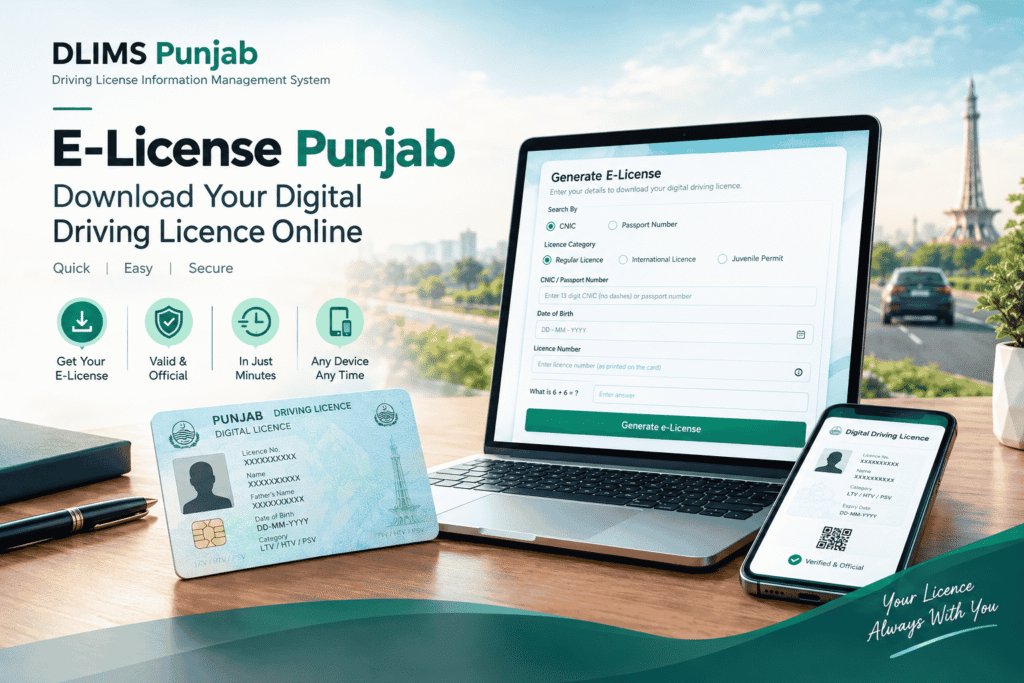
What You Need Before You Download
The requirements are short, but every one of them is mandatory. Missing any single item will stop the process cold.
- A CNIC (all 13 digits, no dashes) or a passport number — either identifier works.
- Your date of birth, which the system uses to confirm the record belongs to you.
- The correct license category selected: Regular License, International License or Juvenile Permit.
- An active license record. A license still under process will not generate a digital copy.
- A device that can open and save a PDF, plus a reasonably stable connection.
If you are unsure whether your record is active in the first place, run a quick Punjab driving license verification before attempting the download. That single step explains most failed e-license attempts, and it also confirms the exact spelling and license number the database holds.
Why Date of Birth Matters More Than People Expect
The date-of-birth field is a genuine verification layer, not a formality. It ensures that merely knowing someone’s CNIC is not enough to pull their license document, which is a sensible safeguard given what the file contains.
It is also the most common point of failure. The date must match the database exactly, and the database takes its value from your identity record rather than from anything you have written on a form. If your download keeps failing while everything else looks right, this field deserves your first look.
License Types You Can Generate
Like the verification service, the e-license system keeps categories separate. Selecting the wrong one produces an empty result even when your license is entirely valid.
| Category | What it produces | Choose it when |
|---|---|---|
| Regular License | A digital copy of the standard domestic license | This is the everyday license most drivers hold |
| International License | A digital copy of the international driving permit | You obtained a permit for driving abroad |
| Juvenile Permit | A digital copy of the juvenile permit record | The permit was issued under the juvenile category |
How to Download Your E-License in Punjab
- Select the license category — Regular License, International License or Juvenile Permit.
- Enter your CNIC as 13 continuous digits, or switch to the passport option and enter your passport number.
- Enter your date of birth exactly as recorded against your identity document.
- Answer the security question. The portal shows a simple sum such as “What is 6 + 6 =”, so type the numeric answer.
- Click Generate e-License and wait for the system to retrieve your record.
- Download or save the generated digital license to your device.
The official route is available at dlims.punjab.gov.pk/elicense. Either path queries the same records, so use whichever loads faster for you.
Generating an e-license from abroad
Overseas Pakistanis often find the CNIC route returns nothing, simply because their license record was created against a passport. Switching to the passport option usually resolves it immediately. Since no office visit or local payment is involved, the whole process works just as well from another country as it does from Lahore.
Saving it so you can actually find it later
A digital license sitting in a downloads folder among four hundred other files is not much use at a checkpoint. Therefore, take thirty extra seconds: rename the file clearly, save a copy to your cloud storage, and add the image to a favorites album on your phone. Some drivers also keep a printed copy in the glovebox as a second layer.
E-License Compared With the Physical Card
Each format has its place, and most drivers end up using both. The comparison below sets out where each one wins.
| Aspect | E-license | Physical card |
|---|---|---|
| How you get it | Generated online in minutes | Issued after testing and production |
| Replacement if lost | Re-download free at any time | Requires a duplicate application and fee |
| Always with you | Yes, on your phone | Only if you carry the wallet |
| Works without internet | Yes, once saved to the device | Yes |
| Best used for | Backup, employer checks, quick reference | Primary roadside document |
| Stays current | Reflects the record at download time | Fixed until renewal |
The practical takeaway is straightforward: carry the card, keep the digital copy. One covers you at a traffic stop, the other covers you when the card is not in your pocket.
Is an E-License Accepted as Proof?
This is the question drivers ask most, and it deserves an honest answer rather than a marketing one.
For everyday verification purposes — an employer confirming your class, a rental desk checking validity, a bank requesting supporting documentation — a digital license generated from the official system is generally accepted, because the details can be cross-checked against the database on the spot.
At a roadside stop, however, practice varies by district and by individual officer. Some accept a digital copy readily; others still expect the physical card. Accordingly, the sensible approach is to treat the e-license as a strong backup rather than a replacement, and to keep carrying your card until acceptance becomes uniform.
Who Benefits Most From a Digital License
Overseas Pakistanis
A digital copy obtained by passport number means you can produce your Pakistani license for an employer, an insurer or a foreign licensing authority without shipping documents home or waiting on a relative to photograph a card.
Commercial and ride-hailing drivers
Drivers who show credentials repeatedly throughout the day save real time with a copy on their phone, and they avoid the wear that constant handling inflicts on a card.
Drivers who have lost or damaged a card
While a duplicate application is processed, a digital copy keeps you able to demonstrate that a valid license exists in your name.
Anyone who simply forgets their wallet
It happens to everyone eventually. A saved copy turns a genuine problem into a minor inconvenience.
Why Your E-License Download Fails, and How to Fix It
Most failures trace back to a handful of causes, and nearly all of them are fixable in under a minute.
The date of birth does not match
This is the leading cause. The value must match your identity record exactly, including the format the form expects. Check it against your CNIC or passport rather than typing it from memory.
The wrong category is selected
Regular, international and juvenile records are stored separately. Switch the category and try again before changing anything else.
“No record found”
Re-enter your CNIC without dashes, or switch to the passport option if your record was created against a passport. If the license was issued very recently, the record may not have synchronized yet — wait a few working days and try again.
Your license is still under process
A digital copy can only be generated once the license has actually been issued. Until then, tracking your application is the right move, not repeating the download.
Your license has expired
Expired records often block e-license generation entirely. In that case, renewal comes first, and the digital copy becomes available once the renewed record is live.
The page loads but the file will not open
Clear your browser cache, switch browsers, or try a desktop instead of a phone. Additionally, make sure your device has a PDF reader installed — a surprising number of “broken download” reports come down to exactly that.
Keeping Your Digital License Secure
A digital license carries your full name, identity details and license number, which makes it worth protecting properly. The date-of-birth requirement on the portal exists for the same reason.
- Avoid posting it in WhatsApp groups or on social media, even briefly.
- Share it only with parties who have a legitimate reason to see it.
- Store it in a password-protected folder or secure cloud account rather than a public gallery.
- Delete old copies after a renewal so nobody works from an outdated document.
These are ordinary precautions, yet they matter more than people assume — identity details lifted from shared documents remain a common route to fraud.
E-License, Expiry and Renewal
Your digital copy reflects the record as it stood when you generated it. Therefore, it does not refresh itself. Once you renew your license, download a fresh copy so the expiry date on your phone matches the database.
Equally, generating an e-license does not extend anything. If the document shows an expiry date that has passed, the license itself needs renewing — the digital version simply reports what the system holds.
Still Waiting on Your License?
Applicants who have not yet received a license cannot generate a digital copy, but they are not stuck. Tracking the application shows where it sits in the pipeline. Meanwhile, if you are still working towards your first license, our free traffic signs test practice tool covers the computerized E-Sign examination in Urdu and English, which is the stage most first-time applicants stumble on.
Check Your Vehicle Documents Too
A digital license covers the driver. The vehicle, however, has its own paperwork — registration, ownership and token tax — and both are usually inspected together. You can confirm any Punjab vehicle record through MTMIS Punjab vehicle verification, which is worth doing before a purchase, a transfer or a long trip.
Digital Licenses in Other Regions
Punjab is not alone in offering this facility. Drivers licensed elsewhere can generate digital copies through their own provincial systems — see DLIMS Islamabad for the ICT e-license, or DLIMS AJK for Azad Jammu & Kashmir. Each territory maintains its own database, so use the portal matching the authority that issued your license.
Frequently Asked Questions
Yes. The DLIMS Punjab e-license form accepts a passport number as an alternative to a CNIC. Overseas Pakistanis whose license was recorded against a passport should use this option, since the CNIC route will return nothing for those records.
It confirms the record belongs to you, so that knowing someone’s CNIC alone is not enough to download their license document. The date must match your identity record exactly, and a mismatch is the most common reason a download fails.
Yes. Generating a digital copy of your license carries no charge, and you can download it as many times as you need.
Yes. Select the International License category before submitting. Searching under the regular category will not return an international permit, since the two are stored separately.
No. It carries the same expiry date as the license record itself. Once you renew, simply download a fresh copy.
The e-license mirrors the database, so an error there means the underlying record needs correcting through the licensing authority. Downloading again will not change it.
Your License, Always Within Reach
Downloading an e-license is one of those small administrative wins that pays off at an unpredictable moment — the day the wallet stays at home, the day an employer wants documentation before close of business, the week a replacement card is still in production.
Generate your copy using the tool above, save it somewhere you will actually find it, and refresh it after every renewal. For the full picture of licensing in the province — classes, renewals, learner permits and testing — the complete DLIMS Punjab guide walks through each stage, and our contact page is open if something here did not answer your question.